
Tuesday, August 18, 2026
Your Booking Engine just got an upgrade


Your Booking Engine just got an upgrade
We've been waiting to share this one for a while. The upgraded booking engine and gift certificate purchase flow are live now, on every property, and there's nothing you need to switch on.
The short version: your guests get a cleaner, faster path from "I wonder if you have that weekend open" to a completed reservation. The longer version is what follows. But before we get into it, the part that usually causes the most anxiety — your rates, availability, policies, photos, existing reservations, and current setup have not changed. Not one of them. This is the same engine you've been running, just with a much better front door.
It also brings your booking flow in line with the ThinkWeb platform, which matters more than it sounds like it does. Same functionality, same security posture, from the moment a guest lands on your booking engine through checkout.
What's actually new
Six things, and they're already live.
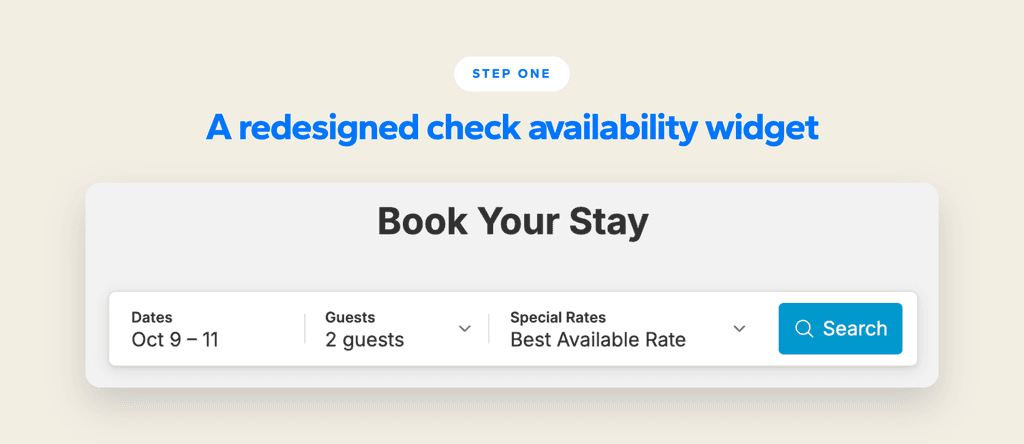
- The Check Availability widget has been redesigned. This is the first thing a guest touches, and honestly it was overdue for attention. Entering dates, selecting guests, getting to your available rooms — all of it takes fewer steps now, and it behaves properly on whatever device the guest happens to be holding.
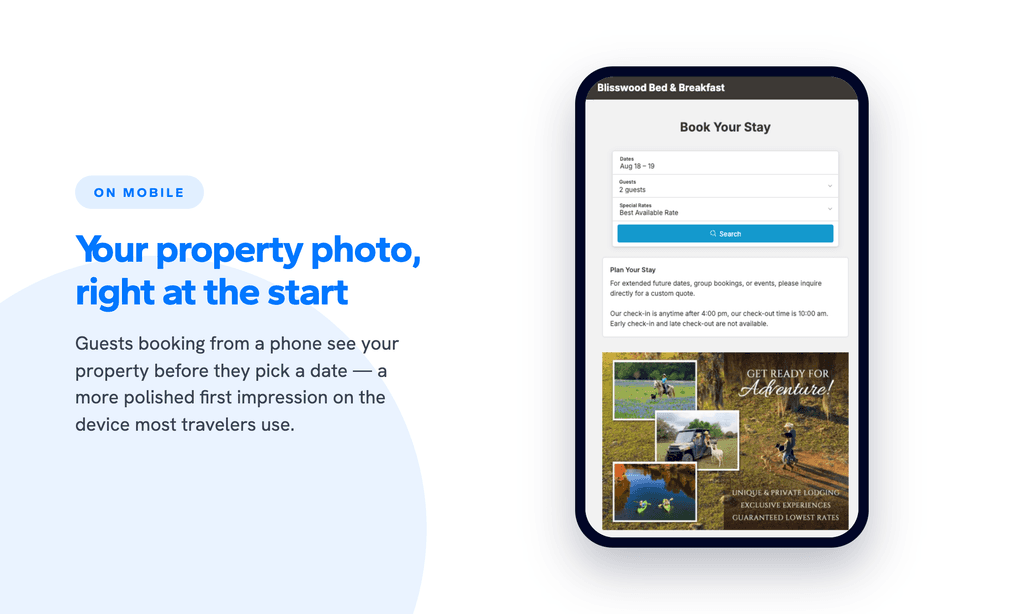
- Mobile got a real visual upgrade. Guests starting a booking on a phone now see your Business Image right up front. It's a small thing, but first impressions on mobile are most of the game at this point — most travelers are booking from a phone, and the old flow opened on something fairly utilitarian. Sorting your room photos is easier too.
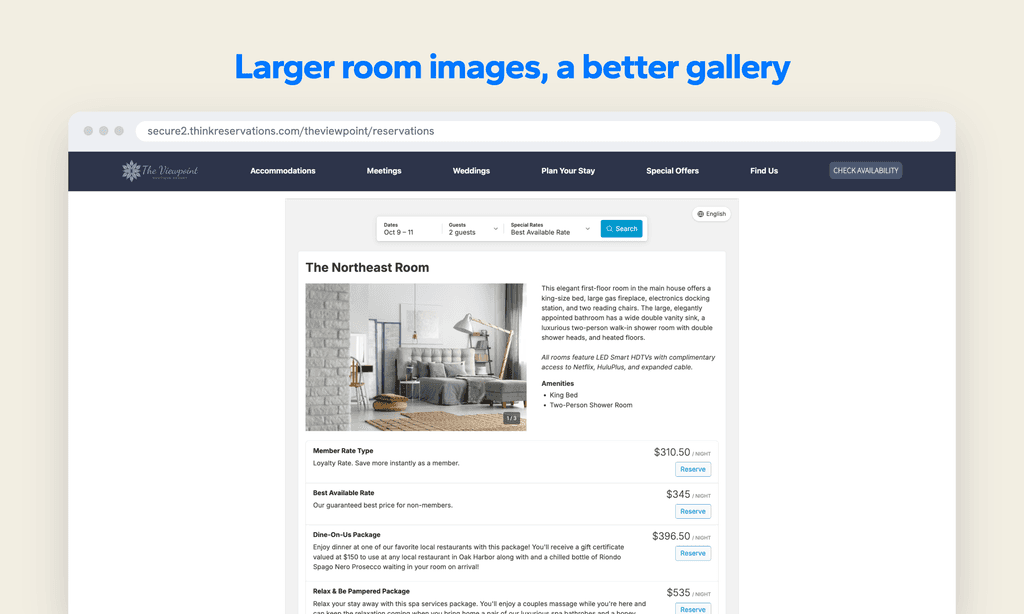
- Room images are bigger, and the gallery is better. Your rooms deserve to be seen, and the previous image sizes were, we'll admit, not doing your photography any favors. Bigger images give the photos room to work. There's also no cap on how many you can add to a room, so a guest can get a genuinely full sense of the space before they commit.
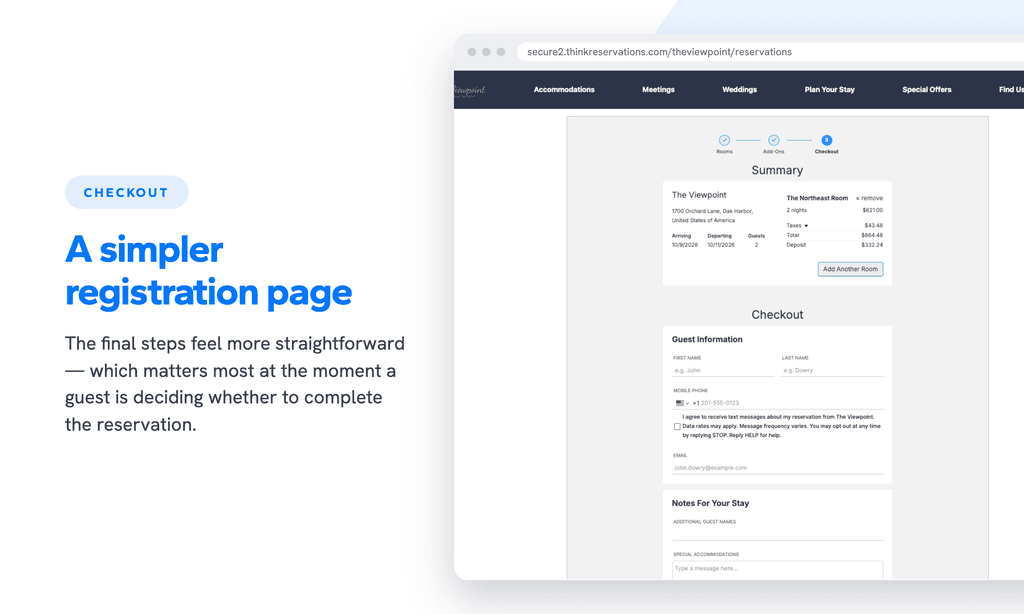
- The registration page is simpler. We streamlined the page where guests enter their details. It's the moment where hesitation tends to creep in — someone has picked a room, they're nearly there, and then they hit a form that feels like paperwork. Fewer obstacles at that point tends to matter more than anything earlier in the flow.
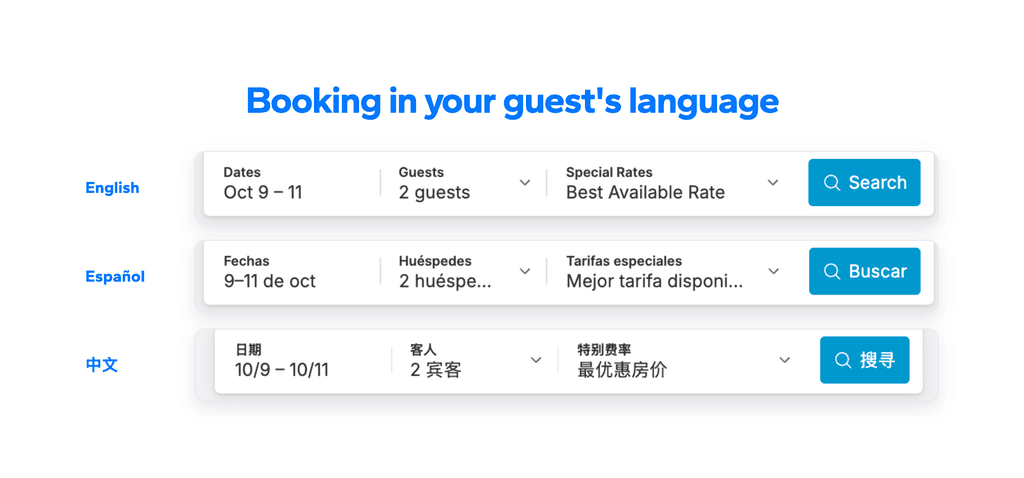
- Translation support is here. International guests can move through the whole booking process in their preferred language, from the first search all the way to confirmation. The list of supported languages mirrors ThinkWeb.
- And the registration page is significantly better protected. ThinkWeb's security is now on every standalone booking engine, including automated bot protection at the registration page. It's built to stop fraudulent booking attempts before a reservation ever gets created — before the credit card is even sent to your processor.

About that protection
We want to spend an extra minute here, because this one is easy to skim past.
Fraudulent booking attempts don't become reservations. They aren't flagged afterward for you to sort out. They aren't sitting in your list the next morning waiting to be cleaned up. They're blocked at the door.
It's on by default for every property. Nothing to enable, nothing to configure, nothing to monitor. And your guests won't notice a thing — no extra steps, no verification prompts, no added friction anywhere in the flow. The only way you'll really see the difference is in what stops showing up.
Gift certificates, too
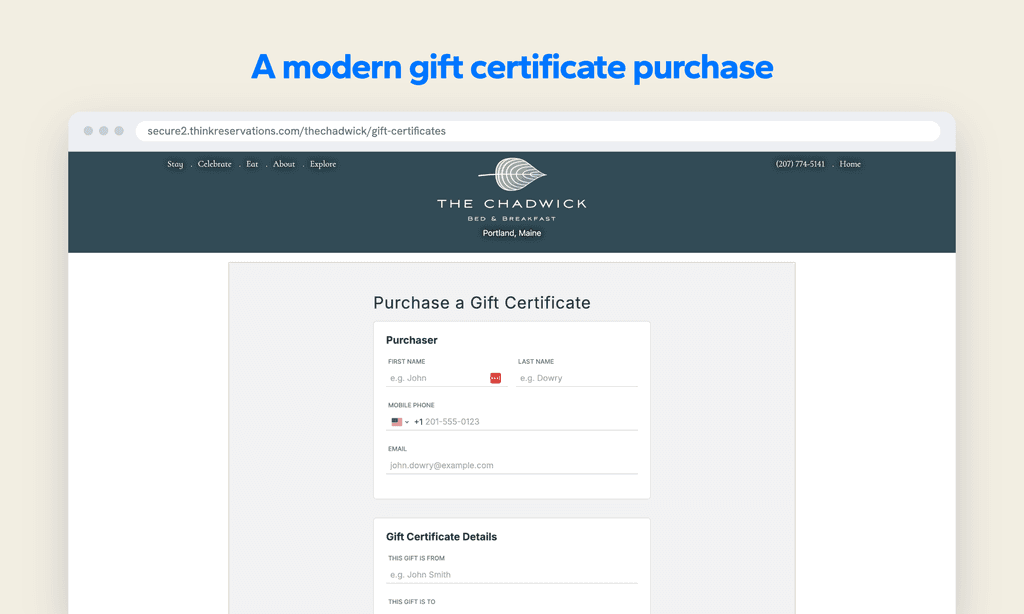
The gift certificate purchase flow got the same treatment. Guests can now buy through a modern, streamlined form that's just easier to get through — particularly when they're buying for someone else, or buying from a phone, which is most gift certificate purchases in our experience.
Same certificates. Same value to your property. Better path to purchase, with the same security enhancements as the booking engine.
You don't have to do anything, but
There's genuinely no action required here. That said, three suggestions:
- Pull up your booking engine on your phone. Right now, if you have a minute. The larger images and the new mobile property photo are what your guests will notice first, and they're best appreciated on the device most of them are booking from. While you're at it, you may want to swap in a newer Business Image under Settings > Business Settings. Landscape images work best — we've seen a few portrait ones that don't quite sit right in the new layout.
- Add more photos to your room galleries. The new gallery is built to show more at once, so the more you have, the more a guest can take in before they decide. There's no upload limit. Five to seven per room feels like a reasonable floor, though we've seen properties do well with considerably more.
- Tell us if something looks off. If anything on your booking engine or gift certificate page doesn't look right, let support know and we'll get it sorted quickly. We'd much rather hear about it than not.
Faster to start. Easier to finish. Better protected throughout.